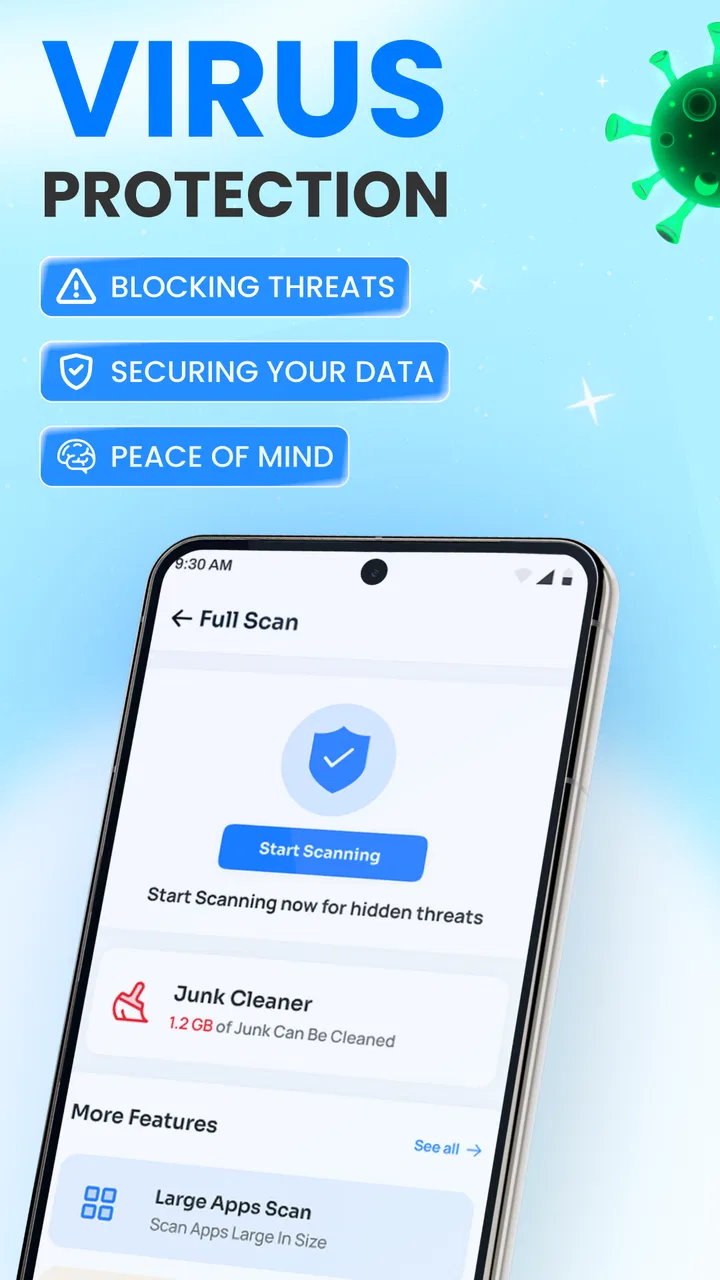
Antivirus - Virus Cleaner
- 0.0
- Rating
- 500.00K
- Installs
- Free
- Price

 Analysis by App-foxy
When a phone is shared around a household, small maintenance jobs quickly become everyone’s problem. One person downloads documents, another saves photos, and someone else may install an unfamiliar app without thinking about storage or security. Antivirus - Virus Cleaner is aimed at that everyday situation: it combines a virus-protection message with tools for clearing unwanted files, presented as a free productivity app rather than a specialist security suite.
I approached it as a practical utility for an ordinary Android phone, not as a replacement for careful browsing habits or a full device-management system. The developer is Video Studio & Offline Cinema, and the app is listed for Everyone. That broad age label makes it easier to consider in a household, although it should not be confused with parental supervision or separate child accounts. Its current version is 1.12, and it runs on Android 7.0 or later.
How it fits a shared household phone
The most convincing use case is a device that has gradually become cluttered because several people use it for different reasons. A parent may keep work attachments, a teenager may download videos, and another family member may save duplicate images from messaging conversations. In that setting, a cleaner can be useful because it gives the household a reason to review the phone instead of waiting until storage becomes a crisis.
You May Also Like

 Blood Strike: 2.5 Anniversary
Blood Strike’s Loadouts Turn Every Drop Into a Tactical Gamble
A close look at Blood Strike’s custom loadouts: how fast access to signature weapons reshapes its battle royale rhythm, rewards preparation, and narrows the gap between fights.

 Pandora - Music & Podcasts
Pandora’s Music Is Easy to Start, but Harder to Recover
Pandora’s strength is its low-effort path from a seed to a station. Its weak spot is how much confidence it asks you to place in connection, setup, and quiet recovery.

 8 Ball Pool
 Is Built on Rivalries, Rematches, and Routine
A close look at the rivalries, rematches, shared routines, and unanswered safety questions that turn a quick pool match into a persistent mobile community.

 Samsung Music
’s Quiet Strength Is Playing What You Already Own
Its reach comes less from spectacle than from dependable access to a personal library. That simplicity is both the app’s strongest retention engine and its ceiling.

 AccuWeather: Weather Radar
AccuWeather Review: A Quick, Clear Forecast for Everyday Decisions
For everyday plans, the best forecast is the one you can understand quickly. AccuWeather makes rain timing, radar, and local conditions easy to act on, with a few trade-offs.

 Hill Climb Racing
Why Hill Climb Racing Still Turns Crashes Into One More Run
A tiny car, a bumpy hill and one more upgrade: Hill Climb Racing keeps resurfacing because its simple chaos makes every near-miss feel personal.
More From Our News Desk
View All News


My practical advice is to begin with the person who knows the phone best. That person can open the app, inspect what it identifies, and decide what should actually be removed. A cleaning suggestion is not automatically rubbish. A downloaded document may look disposable to a tool while still being important to the person who saved it. Shared use makes this distinction especially important.
The antivirus angle also needs a measured interpretation. I would use the app as one layer in a sensible routine, alongside installing software from trustworthy sources, keeping Android updated, and checking unusual prompts before accepting them. I would not hand the phone to a child with the assumption that the app alone prevents unsafe downloads or misleading websites.
Its store presence shows more than 500 thousand installs, so it is not an obscure utility with no audience at all. At the same time, the average rating is 0.0, which gives me no useful community signal for judging reliability or ease of use. That does not prove the app is poor, but it does mean I would test its suggestions cautiously before making it part of a household routine.
What I would do before the first cleanup
Before tapping any cleanup action, I would make a quick inventory of the phone. I would check the gallery, downloads folder, messaging attachments, and any folders used for school or work. This takes only a few minutes and prevents the most common mistake with cleaning tools: treating every large or old file as unnecessary.
I would also ask each regular user to identify their own important folders. On a shared phone, this simple conversation is more valuable than a fast scan. It creates a boundary between “I do not recognize this” and “nobody needs this anymore.” If the app presents categories of junk, I would review each category separately rather than selecting everything at once.
A useful household workflow is to clean in stages. First remove items everyone agrees are disposable, such as clearly repeated downloads. Then pause and ask the other users about anything uncertain. Finally, leave personal folders alone unless their owner approves. This approach is slower than an all-at-once cleanup, but it protects trust and reduces accidental deletion.
Keeping account and personal boundaries clear
Antivirus - Virus Cleaner is not a substitute for account separation. The age rating of Everyone describes the app’s content suitability; it does not create individual profiles, protect private conversations, or decide which family member may open a file. If several people use one Android account, the phone still has one shared environment unless the operating system or another service provides a separate arrangement.
That distinction matters when the device contains personal photos, saved passwords, school material, or work documents. I would avoid using a cleaning session as an opportunity to browse another person’s private files. The responsible owner should review the results, and each user should be told what kind of maintenance is happening.
For a child’s occasional use, I would keep the app’s role narrow: maintenance and a reminder to think before installing something. I would not describe it as a child-safety tool. There is no reason to assume that a general antivirus and cleaner can replace conversation, system restrictions, or supervision chosen by the family.
The same principle applies to older relatives who may be less comfortable with security warnings. Rather than asking them to interpret every alert alone, I would agree on a simple rule: stop when a warning appears and ask a trusted household member before proceeding. The app can support that habit, but the habit itself remains the important protection.
Using the cleaner without creating new problems
The main trade-off with any junk cleaner is convenience versus control. A broad scan can save time when the phone is crowded, but a broad deletion can also remove something that only looks unimportant. I prefer tools that let me inspect recommendations, and I would treat every suggested item as a proposal rather than a command.
One non-obvious benefit of this approach is that the cleanup process can reveal how a household actually uses its storage. If the same type of file keeps returning, the problem may not be a lack of cleaning. It may be automatic downloads, repeated sharing, or a habit of keeping several copies of the same media. Cleaning the result without changing the habit means the phone will become cluttered again.
For example, imagine a family tablet or phone used during a weekend trip. One person downloads maps and tickets, another saves short videos, and a child installs a game-related file from a message. After the trip, a scan may highlight old downloads and large media. I would remove only the material everyone has finished with, preserve tickets and travel records until they are no longer needed, and investigate the unfamiliar file instead of deleting it blindly.
That scenario also shows why “free” does not mean completely cost-free in every situation. The app itself is free to download, while in-app purchases range from $10.99 to $59.99 per item. In a shared household, I would make sure the person responsible for the device understands that optional purchases may be available before letting children or guests explore the app.
I would also avoid treating a paid option as proof of better protection. A purchase may change the experience, but the listed price range alone does not tell me which function a particular item unlocks. My decision would depend on what the app actually shows on the device and whether the household needs that addition, not on the assumption that spending automatically makes a phone safe.
Where it is useful, and where another choice is better
This app makes the most sense for someone who wants a straightforward place to start when a phone feels cluttered and who also wants a visible security-oriented utility. It may suit a household member who prefers a guided scan over manually opening folders and sorting files one by one.
I would choose a different approach for a person who needs detailed malware analysis, corporate device administration, encrypted backup, or strong privacy controls. A dedicated security product with a long-established reputation may be a better fit for high-risk work devices. Likewise, Android’s own storage tools can be preferable when the only problem is finding large files, because they keep the task focused instead of combining cleaning with antivirus claims.
There is another important trade-off: combining two jobs can be convenient, but it can also make it harder to understand what changed. If a phone behaves differently after a cleanup, I would want to know whether a file was removed, a setting changed, or a security action occurred. For that reason, I would run one type of maintenance at a time and note what I approved.
Shared devices benefit from this slower method because coordination matters more than speed. Before a cleanup, I would announce it in the household group chat or simply tell the other users. Afterward, I would mention which broad areas were reviewed. That small step avoids the common complaint that a file “just disappeared” and makes the utility feel like a shared maintenance tool rather than an invisible decision-maker.
Age, trust, and everyday expectations
The Everyone label is reassuring for general content, but it should not be read as a guarantee that every interaction is effortless for every age group. A younger user may understand a large “clean” button as permission to remove anything, while an older user may be unsure whether a warning is urgent. I would introduce the app with clear instructions: scan first, read the result, ask before deleting anything uncertain.
For children, I would keep the phone’s owner or a trusted adult in charge of scans and purchases. For teenagers, I would explain why an unfamiliar download deserves attention even if a cleaner identifies it as unwanted. For adults sharing the device, I would emphasize personal folders and consent. These boundaries are not features of the app; they are the household rules that make using it responsibly possible.
Trust is also affected by how often the app is used. Running a cleanup after every minor storage warning can create unnecessary anxiety and encourage impulsive deletion. I would use it when there is a clear reason, such as a crowded device or a need to review downloads, and then check whether the phone’s normal storage settings already provide enough information.
The app’s release date is May 17, 2026, and its Android support reaches back to version 7.0. That broad compatibility can matter if a household keeps an older spare phone, but compatibility alone does not tell me how well the experience fits every device. I would install it on the phone that needs help, look carefully at the scan results, and avoid assuming that behavior on one model will be identical on another.
My household verdict
I see Antivirus - Virus Cleaner as a potentially convenient starting point for shared Android maintenance, especially when the immediate problem is a mixture of clutter and concern about unsafe files. Its free entry point makes it easy to try, and its focus is understandable for people who do not want separate tools for every small task.
My recommendation comes with a firm condition: use it as an assistant, not as an automatic authority. Review cleanup suggestions, protect each person’s folders, and keep the app’s security role in perspective. A household that follows those steps can get practical value from a guided review without surrendering control of the phone.
I would skip it for a sensitive work phone, a device requiring advanced security administration, or a family looking specifically for parental controls and private user profiles. I would also be cautious about paying for extra items until the free experience has shown a clear benefit. The in-app purchase range is significant enough that a shared device should have an agreed spending rule.
In the end, the app is best for households that need a gentle prompt to inspect downloads and reclaim space, not for people searching for a complete security strategy. The strongest result comes from pairing its scans with careful human review. Used that way, it can support better phone habits; used as a one-tap solution, it risks making a simple maintenance task less transparent.
For my own shared-device routine, I would give it a limited trial, start with low-risk clutter, and involve the other users before removing anything personal. That approach respects the app’s intended productivity role while keeping account boundaries, age awareness, and household trust where they belong: with the people using the phone.
FAQs for Antivirus - Virus Cleaner
01What features does Antivirus - Virus Cleaner offer to protect my device?
Antivirus - Virus Cleaner provides real-time protection against malware, spyware, and viruses. It includes a scanning feature that checks apps and files for threats, a junk cleaner to optimize device performance, and a privacy advisor to ensure your data is secure. Additionally, it offers anti-theft features and Wi-Fi security checks.
02Is Antivirus - Virus Cleaner free to use, and are there in-app purchases?
The app is available as a free download, offering essential security features at no cost. However, there are in-app purchases for premium features, such as advanced threat detection, ad-free usage, and priority customer support. The premium version enhances the overall protection and provides a more seamless experience.
03How easy is it to use Antivirus - Virus Cleaner for beginners?
Antivirus - Virus Cleaner is designed with a user-friendly interface, making it accessible for users of all experience levels. The app provides clear instructions and intuitive navigation, allowing users to perform scans, clean junk files, and manage security settings with ease. Its straightforward design ensures a smooth experience for beginners.
04Does Antivirus - Virus Cleaner affect the performance of my device?
The app is optimized to run efficiently without draining your device’s resources. While it performs background scans and security checks, it is designed to have a minimal impact on battery life and processing speed. Regular updates ensure it remains lightweight and effective, allowing your device to function smoothly.
05Is Antivirus - Virus Cleaner compatible with all Android and iOS devices?
Antivirus - Virus Cleaner is compatible with a wide range of Android and iOS devices. However, it is important to check the app's specific requirements on its download page to ensure compatibility with your device’s operating system version. Regular updates help maintain compatibility with the latest devices and OS versions.
Pros
- Fast and efficient scanning process.
- User-friendly interface design.
- Low impact on device performance.
- Regular updates for new threats.
- Comprehensive real-time protection.
Cons
- Contains in-app advertisements.
- Limited features in free version.
- Occasional false positives detected.
- Consumes battery during scans.
- Requires internet for full functionality.

Antivirus - Virus Cleaner
Gallery